Start from the approved scope
Bring the client, project details, agreed scope and price into the contract workflow. Check the information against the actual agreement before preparing the packet.

An approved estimate starts the conversation. TrueSite helps organize the next steps: the home improvement contract, applicable notices, milestone payment schedule and selection list, kept with the project as the work develops.
Explore a sample job before you choose. No card required for the demo.
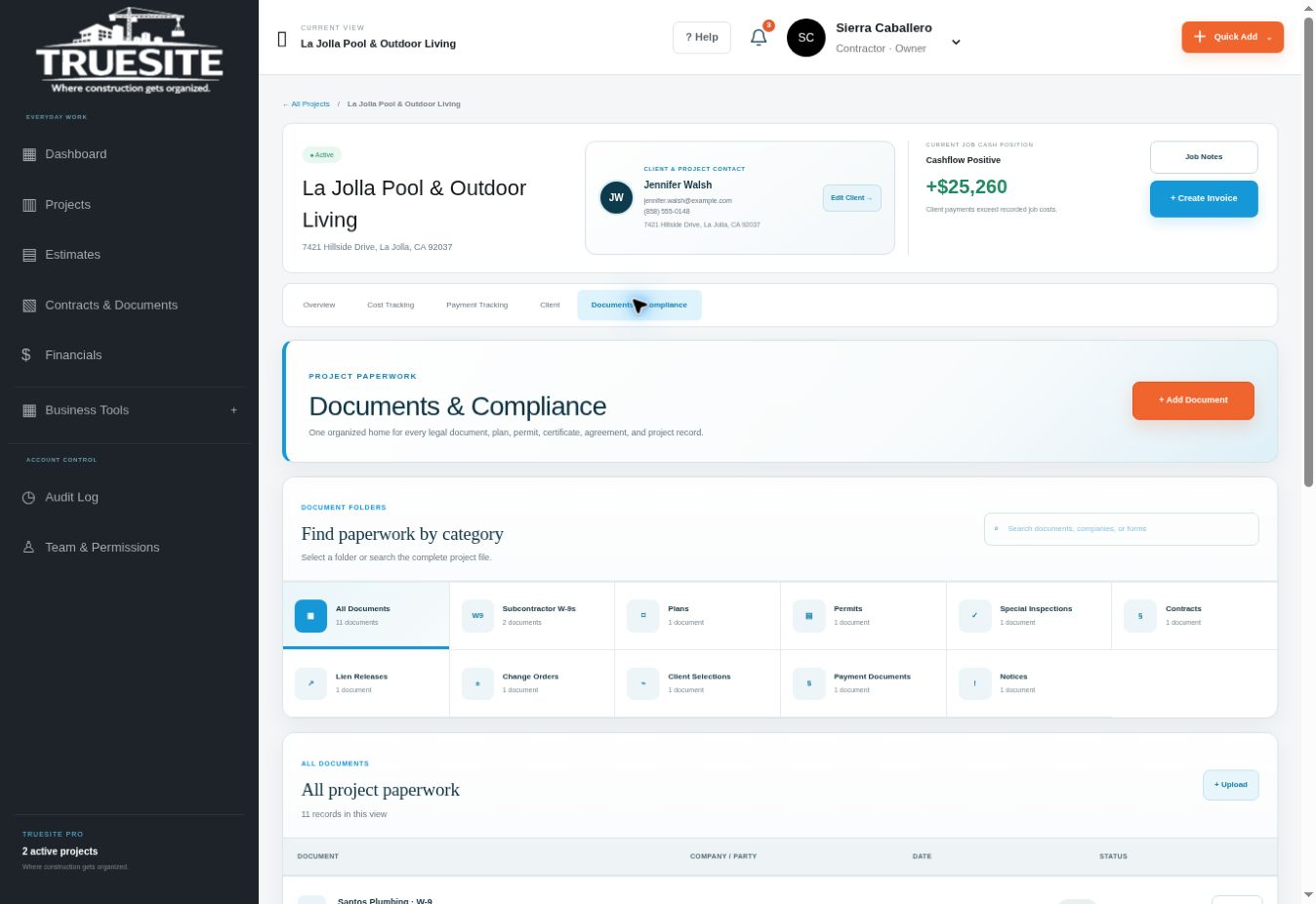
A residential project can involve several documents with different purposes. A guided workflow helps you identify what belongs with the job, complete the project details and keep the records organized. It also gives later changes a place alongside the original agreement.
Bring the client, project details, agreed scope and price into the contract workflow. Check the information against the actual agreement before preparing the packet.
Consider the home improvement contract, cancellation paperwork, mechanics lien information, CSLB notices and progress milestone schedule that apply to the project.
Connect change orders, selection records and later project documents to the job. Track the completed record rather than relying on a memory of what was discussed.
The right packet depends on the project. Correct completion, delivery, signatures and payment practices still matter; software does not guarantee CSLB compliance.
Explore this area in the demo →| Record | Purpose in the workflow |
|---|---|
| Home improvement contract | Project scope, parties, price and applicable terms |
| Cancellation paperwork | The rights and notice applicable to the situation |
| Lien information and CSLB notices | Required homeowner information where applicable |
| Milestone payment schedule | Work phases and corresponding proposed payments |
| Client selection list | Finish items, allowances and decision deadlines |
| Change order | Documented changes to the agreed work or price |
TrueSite was founded by David Caballero, a working general contractor. The platform's contract workflow reflects the need to manage homeowner paperwork alongside the practical details of residential jobs, rather than treating the contract as an isolated file.
The contract record connects to the rest of the platform: selections describe decisions still ahead, the milestone schedule explains the payment sequence, and the client portal gives the homeowner a place to find shared records. Changes should remain understandable in the context of the original project.
Cancellation periods and document requirements vary with the circumstances. Use the current CSLB guidance and qualified project-specific review when preparing an agreement. The sample demonstrates the workflow with fictional data; it does not execute a contract or send a signature request.
Reference: CSLB guidance on contracts and binding agreements. Reviewed October 10, 2026.
Built by David Caballero, a working general contractor and founder of TrueSite. Read the founder story →
No. TrueSite supports an organized contract process. Compliance depends on the documents and terms that apply, accurate completion, delivery, signatures, payment practices and the actual work.
No. The applicable cancellation period depends on the circumstances. Review the appropriate notice for the project and homeowner using current requirements rather than assuming one form fits every job.
Document the changed scope, price and relevant schedule effects through the change-order process and keep that record with the project. The exact requirements depend on the agreement and applicable law.
Explore the platform, then choose the plan for your active projects.